Learn to Read: Kids Games
RV AppStudiosEducational
4.7387.00 Reviews
- Version
- Varies With Device
- Installs
- 10.00M
- Age Rating
- Everyone
Screenshots
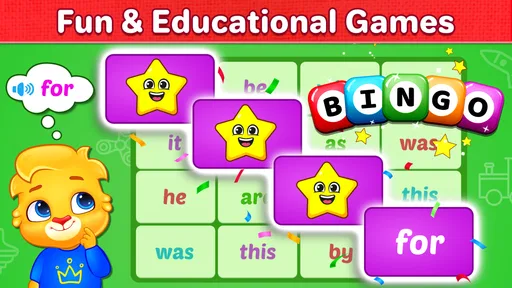
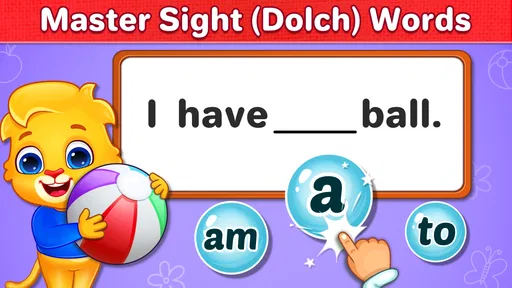
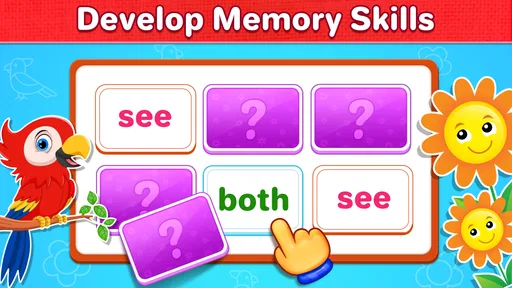
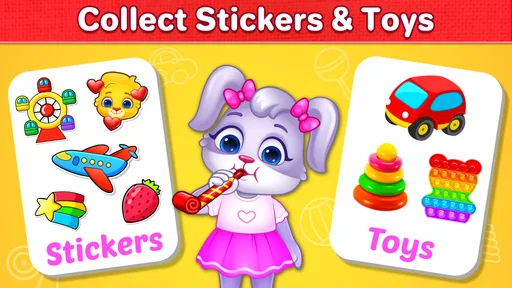
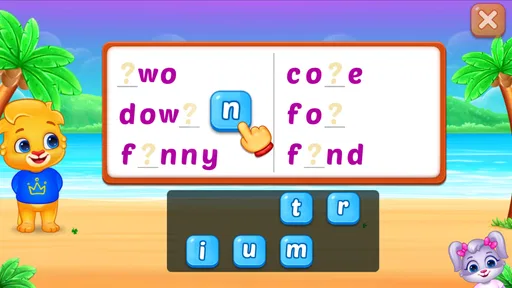
Our Review of Learn to Read: Kids Games
 Analysis by Appyee
Learning to read is easier when practice feels like play rather than a worksheet, and that is the central appeal of Learn to Read: Kids Games. I found it most useful as a short, repeatable activity for children who are beginning to recognize common English words and build simple sentences. It is not a complete reading course, but it can turn a few spare minutes into focused practice without making the child feel as if they are sitting through a formal lesson.
Developed by RV AppStudios, this free educational game is aimed at children and carries an Everyone age rating. It has built a strong audience, with more than ten million installs and an average rating of 4.6 from roughly twelve thousand ratings. Those figures do not replace personal testing, but they do match my overall impression: this is a straightforward learning tool with a clear purpose, especially for families looking for an approachable introduction to English reading.
How the reading practice works in everyday use
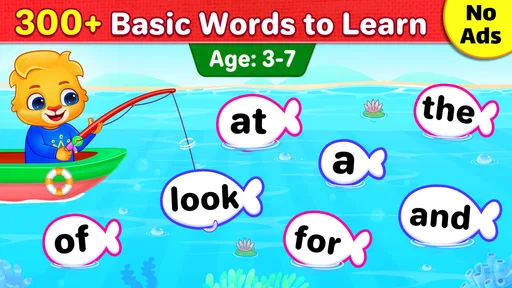
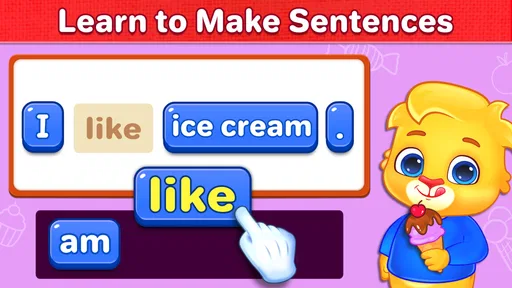
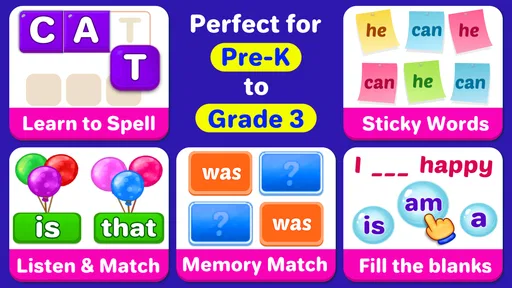
The experience focuses on three connected skills: recognizing sight words, arranging words into sentences, and reading English with more confidence. That combination matters because children often know individual words before they understand how those words work together. A child may recognize “I,” “like,” or “the” in isolation, yet still need guided practice to form a meaningful sentence. The game’s structure is valuable because it links those steps instead of treating vocabulary and sentence building as unrelated exercises.
In my experience, the best way to use it is in brief sessions. A parent can open the game after breakfast, during a quiet afternoon break, or while waiting somewhere, then let the child complete a small amount of practice before stopping. This works better than treating it as a long lesson. Early readers tend to benefit from repetition, but they can also lose interest when an activity continues after their attention has faded.
The app is particularly suitable for children who are just becoming familiar with high-frequency English words. Sight words can be difficult because many of them do not follow the simple sound patterns children first learn. Repeated exposure in a game can make those words feel less intimidating. The sentence activities then provide context, which helps the child connect a word with meaning instead of memorizing it as a disconnected visual shape.
A realistic home routine would be to let a child try one short activity independently, then ask them to read the completed sentence aloud. I would not simply hand over the device and walk away every time. A quick conversation about what the sentence means adds an important layer that the screen cannot provide by itself. If the child makes a mistake, I would encourage them to look at the whole sentence rather than immediately supplying the answer.
The strongest part of this game is the bridge between word recognition and sentence understanding. Many early-learning apps concentrate on letters, sounds, or isolated vocabulary. Those are useful foundations, but children also need to see how reading communicates an idea. This title is more helpful when the child is ready to move beyond identifying single letters and start noticing the order and purpose of words.
Why the sentence work is more useful than it first appears
Sentence-building activities can reveal a type of difficulty that a basic alphabet game may miss. A child might recognize every word but place them in an unusual order. That is not simply a vocabulary problem; it can point to a developing understanding of grammar, sequence, and meaning. When I use an activity like this with a young learner, I pay attention to whether the child is guessing from pictures, remembering a pattern, or actually reading the words.
That observation gives parents a practical way to adjust support. If the child identifies words but struggles to assemble them, I would slow down and read each word aloud before asking for the complete sentence. If the child can arrange the sentence but cannot explain it, I would ask a simple question about the meaning. If the child guesses quickly and repeatedly, I would encourage them to look carefully at each word instead of rewarding speed.
This is one of the less obvious strengths of the app: it can serve as a small diagnostic window during ordinary play. It is not a professional assessment, and I would never use it to label a child’s reading ability. Still, the activities can help a parent notice whether the main challenge is word recognition, order, confidence, or comprehension.
The game format also lowers the emotional cost of mistakes. A child who becomes embarrassed by correction at the kitchen table may be more willing to try again when the task is presented as a playful challenge. That does not mean every child will enjoy it equally. Some children prefer books, physical letter tiles, or conversation with an adult. But for a child who responds well to tapping and immediate interaction, the format can make practice easier to start.
I also appreciate that the app is free. Families can try it without committing to a purchase, and that makes it practical for parents who are comparing several early-reading resources. The minimum operating-system requirement is Android 6.0, so it is compatible with many older devices that may already be available at home. That can be useful when a family does not want to buy a new tablet solely for reading practice.
Where it fits beside books, phonics tools, and classroom work
I would place this game between a traditional picture book and a more systematic phonics program. A picture book offers richer language, imagination, and shared discussion, but it does not always provide repeated practice with the same common words. A phonics-focused app may explain sound patterns more directly, while this game is better suited to recognizing familiar words and putting them into simple sentences.
That distinction is important. If a child does not yet understand letter sounds, this may not be the best first resource. The game can support reading development, but it should not replace instruction in phonemic awareness, pronunciation, vocabulary, or comprehension. I would use it alongside story time and, when appropriate, a structured phonics resource rather than expecting it to cover every part of learning to read.
Compared with paper flashcards, the app offers more immediate interaction and may hold attention longer. Flashcards, however, are easier for an adult to adapt on the spot. A parent can choose words from the child’s school book, family life, or current interests, while a digital game follows its own sequence. Compared with a full children’s reading platform, this title feels narrower, which is both a benefit and a limitation: it is easier to understand, but it may not provide enough variety for a child who is already reading simple books independently.
The short description, “Learn to Read,” is accurate as a broad aim, but I would interpret it modestly. The app is best viewed as practice, not a guarantee of reading progress. Children develop at different speeds, and an activity that feels perfect for one learner may be too easy or too repetitive for another. The most useful question is not whether it can teach everything, but whether it gives this particular child a reason to practice one more time.
The limitation parents should understand before relying on it
The main weakness is that a game cannot fully respond to a child’s individual misunderstanding. When an adult is present, they can hear whether the child is sounding out a word, guessing from the first letter, or memorizing a familiar layout. A digital activity may show that an answer is wrong, but it cannot replace the patient explanation that follows.
That limitation becomes more noticeable when a child moves beyond beginner material. A learner who needs help with longer words, pronunciation, reading fluency, or story comprehension will eventually need resources with greater depth. This game’s focus on sight words and simple sentence construction is useful precisely because it is limited, but that same focus means it should not be treated as the child’s only reading environment.
Repetition can also work in two directions. Repeating familiar words helps memory, yet a child may begin tapping through activities mechanically. I recommend asking the child to read the result aloud and explain one sentence in their own words. If they can complete the task but cannot say what they read, the activity has become a button-pressing exercise rather than reading practice.
Another point is motivation. Some children enjoy digital rewards and quick tasks, while others become distracted by the device itself. If your child tends to switch rapidly between apps or asks to play without reading aloud, a physical book may be the better choice for that session. I would also avoid using the game as a bargaining tool for every routine. It works best when it remains a calm, predictable part of practice rather than a source of pressure.
Parents should think about supervision in a practical way. The app can give a child an opportunity to work alone, but occasional involvement makes the learning more meaningful. Sit nearby for a few minutes, listen to the words, and notice where the child hesitates. That small amount of attention can turn a simple game into useful feedback about what to practice next.
Who will get the most from it
I recommend this game most strongly for preschool and early-primary learners who are starting to recognize common English words and need extra confidence with short sentences. It can also suit children learning English as an additional language when an adult is available to explain unfamiliar vocabulary. In that situation, the sentence activities may be especially helpful because they show how words are used together rather than presenting them only as a list.
It is a good match for families who want a free resource, have an older Android device, and prefer short activities over lengthy lessons. It is also useful for a child who resists worksheets but is willing to practice through a game. Teachers or tutors could use it as a warm-up, a quiet independent task, or a way to revisit familiar sight words after a lesson, provided they continue the teaching away from the screen.
I would be more cautious about recommending it to an advanced reader, a child who needs detailed phonics instruction, or a learner who requires specialized accessibility support. Those children may benefit more from a tailored program, printed materials, direct instruction, or a reading platform with a broader progression. Likewise, if your priority is rich storytelling, creative writing, or deep comprehension, this is not the right central tool. It is a focused practice game, not a digital library.
A useful way to decide is to watch what happens after a few sessions. If the child begins recognizing words more quickly, reads the completed sentences aloud, and can explain their meaning, the app is serving a real purpose. If the child only taps answers, becomes frustrated, or finds the material too easy, I would change the routine or choose a different resource rather than forcing continued use.
My verdict after using it as a learning companion
Learn to Read: Kids Games succeeds because it keeps its educational goal understandable: help children practice common words and use them in simple English sentences. I like it as a low-pressure supplement, especially for short daily sessions and for children who need repeated exposure before words become familiar. The combination of word recognition and sentence arrangement gives it more practical value than an activity that stops at naming letters.
Its limits are just as clear. It cannot replace shared reading, phonics teaching, conversation, or a carefully chosen book. Children who are ready for more complex text may outgrow it, while children who need help with sounds may require a different starting point. The best results will come from treating the game as one piece of a wider routine and listening to the child read instead of assuming a completed screen means the skill is mastered.
For a free educational game from RV AppStudios, it offers a sensible entry point into English reading practice. I would recommend trying it for a child who is beginning to recognize sight words and enjoys interactive learning, then keeping it only if the activities lead to real reading aloud and understanding. Used that way, it is simple, accessible, and genuinely useful without pretending to be a complete reading curriculum.
Privacy and Permissions
See what permissions an app requests and how it handles your data.
- Other
- view network connections, full network access, run at startup, control vibration, prevent device from sleeping, Google Play license check
Verdict
Strengths of Learn to Read: Kids Games
- Short games help children practice letters, sounds, and simple words.
- Bright visuals and friendly characters can keep early learners engaged.
- Activities are generally easy to understand without advanced reading skills.
- Progressive lessons support children as they move from letters to words.
- Useful for brief practice sessions at home or while traveling.
Limitations of Learn to Read: Kids Games
- Some content may feel repetitive after extended play sessions.
- Certain lessons may be too easy for children who already read independently.
- Audio quality and pronunciation can vary depending on the selected activity.
- Parents may need to supervise progress and choose suitable difficulty levels.
- Some features or learning content may require in-app purchases.
Other Releases by RV AppStudios
View All
Coloring Games: Color & Paint
Educational4.4

Drawing Games: Draw & Color
Educational4.3

Baby Games: Piano & Baby Phone
Educational4.4

Puzzle Kids: Jigsaw Puzzles
Educational4.4
Similar Picks in This Category
View All
Little Panda Policeman
BabyBus4.0

Monster Trucks Game for Kids 2
Raz Games4.1

Little Panda's Chinese Recipes
BabyBus4.4

Little Panda's Restaurant
BabyBus4.4

Little Panda's Ice Cream Games
BabyBus4.3

Baby Panda Care
BabyBus3.8
Frequently Asked Questions
What is Learn to Read: Kids Games, and who is it designed for?
Learn to Read: Kids Games is an educational app designed to help young children develop early reading skills through interactive lessons, games, and simple activities. It is generally aimed at preschool and early elementary learners who are beginning to recognize letters, sounds, syllables, and basic words. The colorful presentation and game-based approach can make practice feel less like traditional homework and more like play.
What reading skills can children practice with this app?
The app typically focuses on foundational literacy skills, including letter recognition, phonics, pronunciation, word formation, and reading short, simple words. Depending on the child’s level and the available lessons, activities may also support vocabulary development and basic comprehension. Parents should remember that the app works best as a supplement to reading together, listening to stories, and practicing sounds away from the screen.
Is Learn to Read: Kids Games suitable for beginners with no previous reading experience?
Yes, the app is intended to be accessible to children who are just starting to learn how reading works. Its activities usually introduce concepts gradually, allowing children to become familiar with letters and sounds before moving toward complete words. However, children learn at different speeds, so younger users may still need an adult nearby to explain instructions, encourage them, and help when an exercise feels difficult.
Does the app require an internet connection or include in-app purchases?
Requirements can vary according to the device, operating system, and version downloaded from the official store. Some lessons may be available offline after installation, while other features, updates, advertisements, or additional content may require an internet connection. Parents should also review the store listing for subscription details, optional purchases, advertising, and parental-control settings before allowing a child to use the application.
Is Learn to Read: Kids Games safe and effective for children?
The app can be a useful and entertaining tool for practicing early reading, especially when children use it for short, regular sessions with adult guidance. Its effectiveness depends on the child’s age, attention span, and existing skills rather than on the app alone. Before downloading, parents should check privacy information, permissions, advertising policies, and store reviews, then combine the app with books, conversation, handwriting, and offline learning activities.
Play our best games!


